How to use Quick Dialogue
Conversations
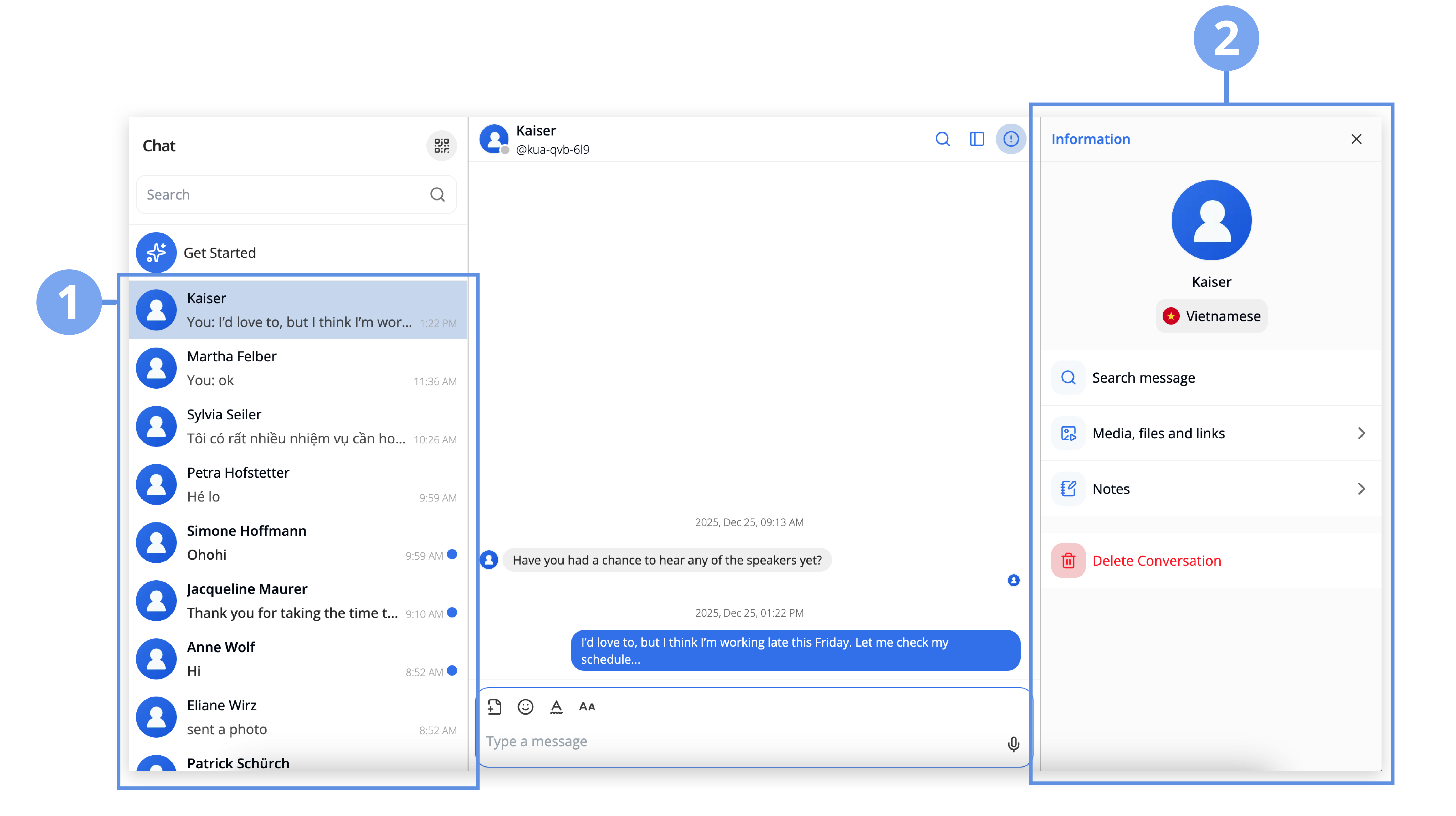
This section displays all one-on-one conversations created through Quick Dialogue QR code scans.
1. Conversation Overview
Each conversation shows:
- The guest name who scanned your QR code
- Unread messages displayed in bold text with a blue dot indicator
- Seen messages in a lighter text style
- The timestamp of the most recent message
2. Quick Dialogue Chat Features
Quick Dialogue conversations provide a simplified chat experience, including:
- Guest information
- Message search
- Media, files, and links
- Notes
- Option to delete the conversation
Note
- The conversation will end if the guest leaves the conversation.
- Every QR code scan creates a new conversation, even if the same person scans your QR code multiple times.