What is Management
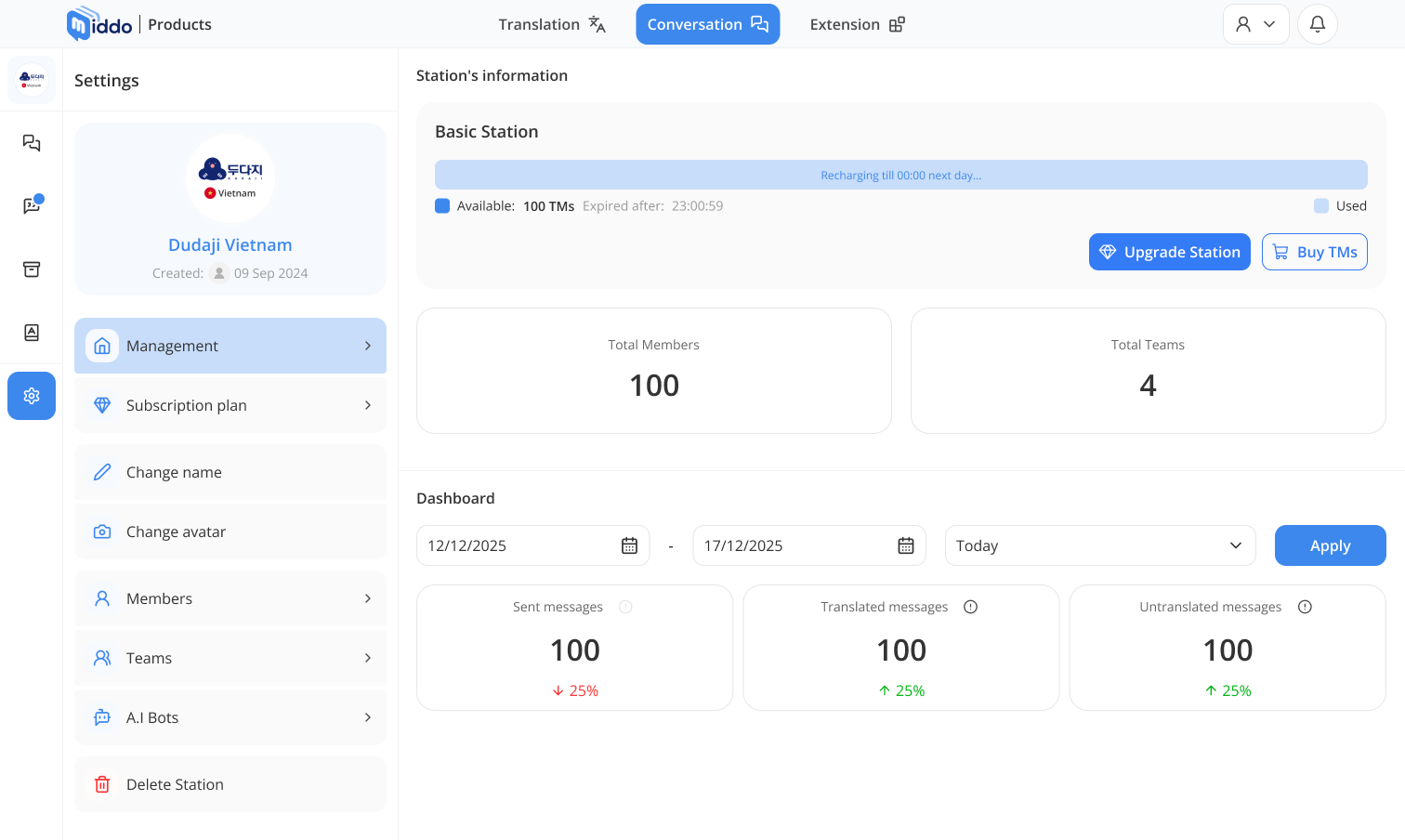
Management provides a centralized view of your Station's status, activity, and usage statistics. You can monitor translation usage, track member and team counts, and view message statistics to make better operational decisions.
Translation Usage
The Management page displays important information about your translation usage:
- Remaining Translation Messages: View how many translation messages you have left in your current quota
- Reset Timer: See how much time remains until your translation message quota resets (resets daily)
Station Statistics
Get a comprehensive overview of your Station's activity:
- Members Count: Track the total number of members in your Station
- Teams Count: View how many teams are currently in your Station
Message Statistics
Monitor your Station's messaging activity with detailed statistics:
- Total Messages Sent: View the total number of messages sent in your Station
- Translated Messages Sent: See how many messages were sent with translation
- Non-Translated Messages Sent: Track messages sent without translation
These statistics help you understand your Station's communication patterns and translation usage, allowing you to optimize your workflow and manage your resources effectively.